Flood
A downloadable game for Windows, macOS, and Linux
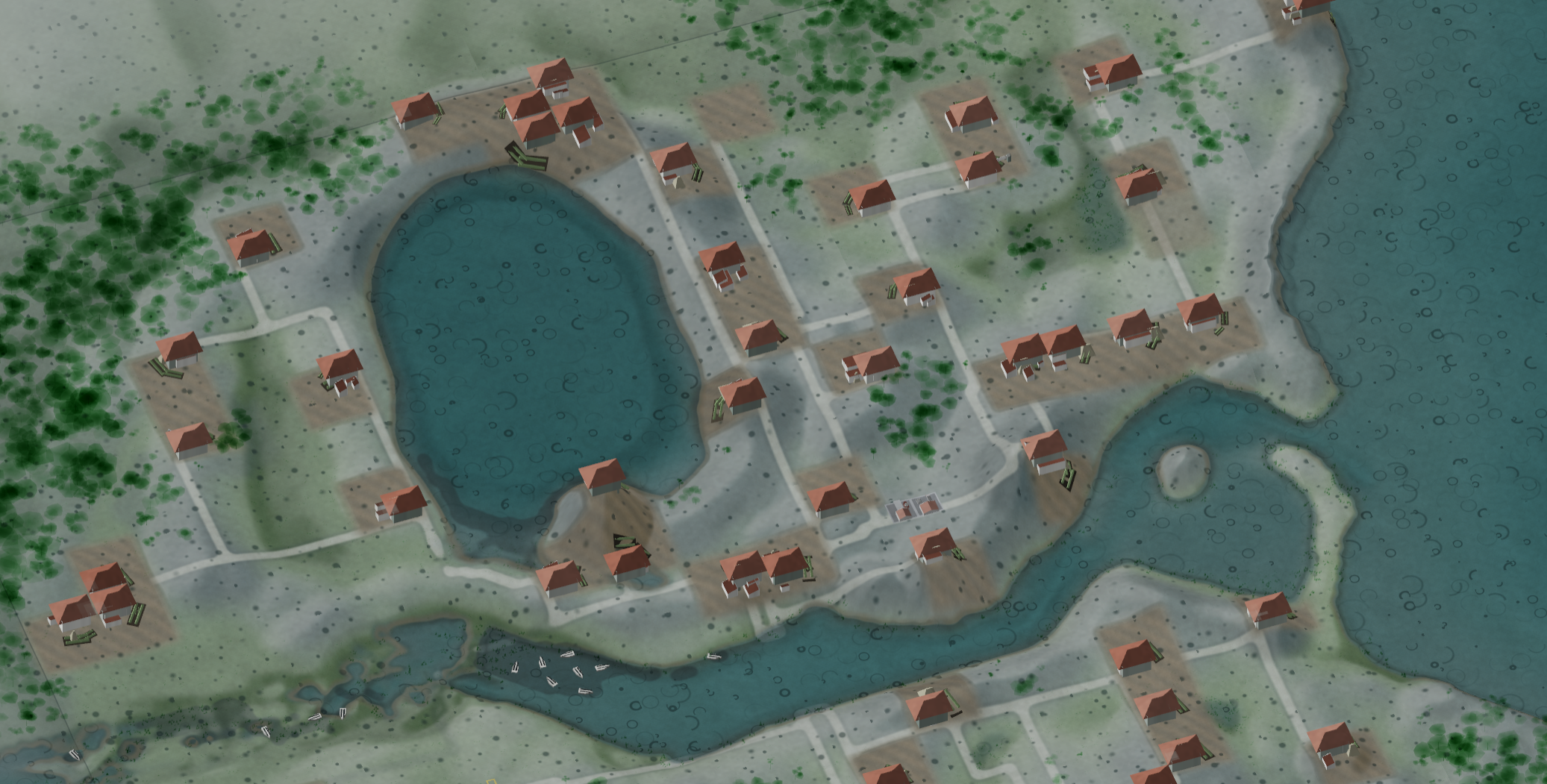
This is a game about hydrology, community, and sustainable development. With climate change increasing the intensity and frequency of hydrological events it's more important than ever to think about how to work together with the land to survive.
Beyond that backdrop, it's a cozy game where you plant some trees, shape a river, and watch the community come to life in front of you! Can you guide them through the floods?
If you want to provide feedback, please do so here. I'm responding to feedback and pushing a few updates a week at this point so be sure to check back for the latest build. Thanks again for being part of this playtest!
Download
Install instructions
Getting Flood
There are two ways to get it, and they suit different people.
Through the itch app. It installs Flood for you and keeps it up to date. When a new version comes out it downloads only the part that changed, usually about 20 MB rather than the whole game. It also starts the game itself, which means Windows and macOS generally don't put up their "unrecognised program" warnings.
As a direct download. One file per platform, nothing to install and nothing to unpack. There are no updates: when a new version comes out, you download it again. You will see a security warning the first time, and there is a section below on getting past each one.
If you are only trying it once, take the direct download. If you expect to play more than one version, the app is worth the five minutes.
Which download to click
There are six downloads on this page, two for each system:
| Windows (executable) | Linux (executable) | macOS (executable) |
| Windows (itch app) | Linux (itch app) | macOS (itch app) |
Take the one marked (executable). It is a single file you download and run:
| Windows | Flood-0.1.8-windows.exeDouble-click the .exe itself. |
| macOS | Flood-0.1.8-macos.zipExpands to Flood.app. Double-click that. |
| Linux | Flood-0.1.8-linux-x86_64.AppImageRun the AppImage, once it is executable. |
The ones marked (itch app) are the same game as a folder of files. They exist for the itch app, which needs the loose files to update you cheaply, and the app picks the right one on its own. You can download one in a browser, but you will get a zip that unpacks to a folder with water.exe (or water.x86_64, or Flood.app) inside it. The single files are easier.
Windows
Double-click Flood-0.1.8-windows.exe. There is nothing to install and no folder to unpack.
"Windows protected your PC" — a blue box with only a Don't run button showing. Click More info, then Run anyway. The file is not signed with a code-signing certificate, and SmartScreen warns about everything that isn't.
A progress bar, then a few seconds of nothing. The file is an archive that unpacks itself. It writes about 223 MB to your temporary folder, starts the game, and deletes that folder when you quit. The first run is the slow one, because your antivirus reads each file as it lands. After that it is a few seconds.
Your antivirus quarantines the file outright. Some products dislike any self-extracting archive on principle. If that happens, ask me for the installer build instead. It is the same game as Flood-0.1.8-win64-setup.exe, which they generally accept, and it installs to your user folder with no administrator password.
Needs 64-bit Windows 10 or later, and about 500 MB free while it runs. Saves live in:
%USERPROFILE%\AppData\LocalLow\Nic Shepard\Flood\savesmacOS
Download Flood-0.1.8-macos.zip. Your browser will expand it, or you can double-click it. You get Flood.app, which is the whole game.
"Flood is damaged and can't be opened. You should move it to the Bin." It is not damaged. macOS quarantines everything a browser downloads, and refuses to open a quarantined app that isn't signed by a paid Apple developer account. Open Terminal, go to the folder holding Flood.app, and run this:
xattr -dr com.apple.quarantine Flood.appThen double-click it as normal. You need that once per download, not once per launch. Right-click and Open used to be enough for an unsigned app; on recent versions of macOS it no longer is, so use the command.
This Mac build is slower than the Windows and Linux ones, noticeably so when the simulation is running fast. It is compiled with a different runtime, because producing the fast one means building on a Mac and these were built on a PC. If it feels sluggish, that is why, and it is not what the game does elsewhere.
Needs macOS 12 (Monterey) or later. The app is a universal binary and runs natively on both Apple Silicon and Intel. Saves live in:
~/Library/Application Support/Nic Shepard/Flood/savesLinux
Make it executable and run it:
chmod +x Flood-0.1.8-linux-x86_64.AppImage
./Flood-0.1.8-linux-x86_64.AppImage
Nothing is installed and nothing is unpacked. An AppImage is a filesystem image the kernel mounts while it runs.
"AppImages require FUSE to run" — your distribution hasn't got libfuse2. Either install it, which on Debian and Ubuntu is sudo apt install libfuse2, or skip it entirely:
./Flood-0.1.8-linux-x86_64.AppImage --appimage-extract-and-run"Error opening /tmp/.mount_Flood-XXXXXX/unity.lock: Read-only file system" — expected, and harmless. The image is mounted read-only and the engine wants to write a lock file beside itself. The only thing it costs is the check that stops you running two copies at once. The game runs normally.
Needs 64-bit x86. A current Ubuntu, Fedora or Arch will run it. Saves live in:
~/.config/unity3d/Nic Shepard/Flood/savesWhy there are warnings at all
Flood isn't signed with a code-signing certificate. A certificate costs a few hundred a year and still has to build reputation over some number of downloads before the warnings stop, which is not worth it for a game at this stage. Nothing is wrong with the file, and none of the warnings are about anything the game does.
The itch app usually avoids all of this, because it downloads the game and starts it itself rather than your browser handing a strange file to the system.
Updates
From this version on, Flood checks itch when it opens and tells you on the first screen when there is a newer one, with a button that brings you back to this page. If you installed through the app, the app updates you and you will rarely see it.
Leave a comment
Log in with itch.io to leave a comment.